

Usually, businesses don’t even realise they’ve suffered a data loss. And when it happens, recovering lost business data becomes a board-level problem with a clock running. Recovery moves fastest when it follows a fixed, rehearsed sequence: isolate, escalate, scope, restore, validate. Skipping any step adds days to the recovery window, not minutes. This guide walks through the five-step checklist and shows where ransomware backup protection fits into a recovery architecture built before an incident, not during one.
What Is the Fastest Way to Retrieve Lost Business Data?
Restore from a clean, tested, offsite backup that was isolated from the affected environment before the incident. That single move sits at the centre of every fast recovery. Speed then depends on three conditions:
- Recency: The last verified backup needs to predate the compromise, not catch up to it.
- Immutability: The backup destination needs object-lock or equivalent so the data cannot be encrypted or deleted by the same attacker who hit production.
- Rehearsal: The restore procedure needs to have been run before, so the on-call team is executing it, not learning it.
Without those three in place, recovery slows to investigation mode and the first hours go to working out what was compromised. With them in place, critical systems can begin coming back within minutes of a recovery decision. Data recovery after ransomware typically runs four to twenty-one days without a tested plan, and under four hours for Tier 1 systems with one.
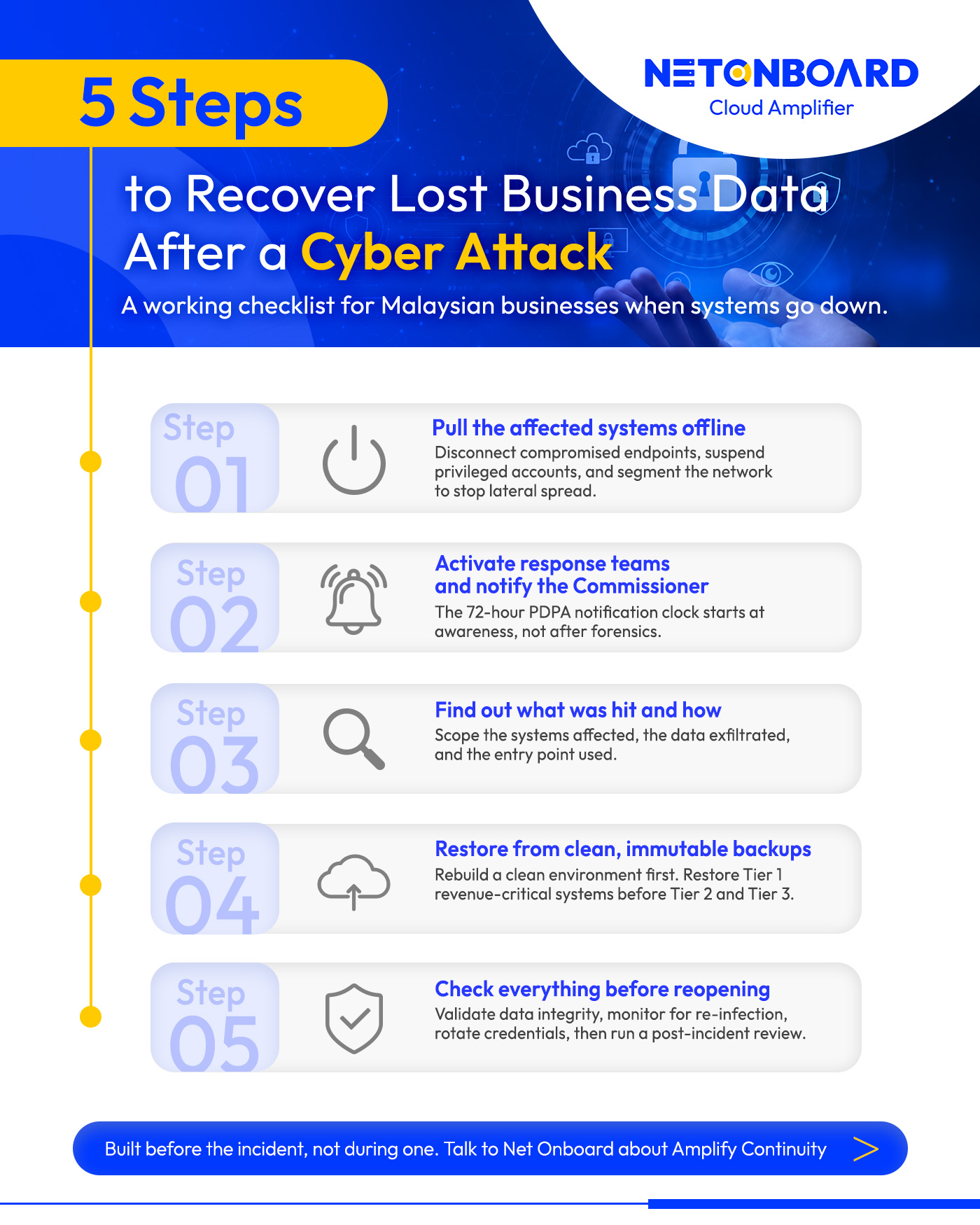
Step 1: Pull the affected systems offline
Containment comes first. Ransomware spreads laterally through file shares, mapped drives, and trusted admin accounts, so every minute the affected systems stay connected, the encryption footprint grows. The three actions to take in parallel:
- Disconnect: Pull compromised endpoints off the network, wired and wireless.
- Suspend: Disable privileged accounts that may have been used in the attack, including service accounts.
- Segment: Block lateral paths so the threat cannot reach systems that have not yet been hit.
Isolation is the precondition for everything that follows. Forensic investigators need a frozen environment to work in. Backup restoration needs a separate clean network to land on. Trying to investigate or restore while the attacker is still active is how businesses end up running the same recovery twice.
Tip: A pre-approved isolation playbook removes the debate about which systems to pull offline. Document the network segments, accounts, and tools each containment action affects so the on-call team can act in minutes rather than after a meeting.
Step 2: Activate response teams and notify the Commissioner
Containment and notification run in parallel. The named incident commander declares the disaster, activates the response team, and starts the regulatory clock. Under the PDPA Amendment Act 2024, fully in force from 1 June 2025, data controllers are required to notify the Personal Data Protection Commissioner within 72 hours of becoming aware of a reportable breach, with affected individuals notified within 7 days.
The 72-hour window starts the moment someone in the organisation becomes aware of the incident, not when forensics conclude. Penalties for breaching the data protection principles have risen from RM300,000 to up to RM1 million per offence, with imprisonment of up to three years. A separate penalty of up to RM250,000 applies specifically to failure to notify within the 72-hour window. Both can apply to a single incident.
Financial institutions carry an extra layer under Bank Negara’s Risk Management in Technology (RMiT) guidelines, which set specific requirements for incident reporting and recovery capability for regulated entities. CNII operators have parallel obligations under the Cybersecurity Act 2024 to notify NACSA.
Tip: Name the incident commander in writing, draft the breach notification template the Commissioner expects, and rehearse the escalation chain. During an incident is the wrong time to debate who approves what.
Step 3: Find out what was hit and how
Once the environment is isolated and the response chain is live, the next task is working out exactly what was hit and how. Two parallel investigations run here: scope (what was touched) and root cause (how the attacker got in). The root-cause finding closes the path so the same vector cannot be used again during or after restoration.
What comes out of this step is a written scope document covering:
- Systems affected: Encrypted, accessed, or exfiltrated.
- Data categories: Including any personal data that triggers PDPA notification obligations.
- Suspected attack vector: Phishing, exposed RDP, unpatched vulnerability, or compromised credential.
- Confidence level: On each finding, with what evidence supports it.
That document feeds both the Commissioner notification and the restore plan.
Tip: Centralised logging and endpoint detection turn scoping from a weeks-long forensic exercise into a hours-long one. Without telemetry from before the attack, investigators are reconstructing the timeline from fragments.

Step 4: Restore from clean, immutable backups
Restoration only begins once the environment is clean. That means a rebuilt or freshly provisioned environment, patched against the attack vector identified in Step 3, with separated credentials and network segments. Restoring onto the compromised infrastructure reinfects the data. Doing it in the right order is what turns recovery into a one-pass job.
The backup itself has to be both clean and reachable. Immutable storage means data is written once and cannot be modified or deleted for a defined retention period, regardless of which credentials access it. A standard cloud backup reachable from the same admin account as production carries the same risk as the live system.
Effective cloud backup recovery best practices rest on five non-negotiables:
- The 3-2-1 rule; three copies of data, on two different media types, with one stored offsite and isolated from production.
- Immutable storage; object-lock policies on backup destinations, supported natively by AWS S3 Object Lock and Azure Immutable Blob Storage.
- Credential separation; backup environments using identity and access credentials distinct from production, so a compromised admin account cannot reach the backup destination.
- Version history; at least 30 days retained for Tier 1 systems, since ransomware often sits dormant for weeks before triggering and the restore point needs to predate the infection.
- Tier-based restore order; revenue-critical systems first (POS, payment processing, e-commerce checkout) against Recovery Time Objective (RTO) under 30 minutes and Recovery Point Objective (RPO) under 5 minutes, Tier 2 operational systems next at 1 to 4 hour RTOs, Tier 3 supporting systems last with daily backups.
The right RTO and RPO targets depend on the cost of downtime for each system, which is a finance and operations conversation as much as an IT one. Set them before the next incident, not during one.
Tip: Schedule restore tests quarterly for Tier 1 systems and annually for Tier 3, and time each one against the documented RTO target so the business knows whether recovery holds up in real conditions.
Step 5: Check everything before reopening
Restoration finishes when systems are back online. Recovery finishes after validation. Before traffic is fully reopened, each restored system goes through four checks:
- Data integrity: Sample records reconciled against the last known clean state, particularly for transactional data.
- Re-infection monitoring: Heightened endpoint and network monitoring for at least 30 days, since dormant payloads can resurface.
- Security tooling re-onboard: EDR agents, SIEM connectors, and access policies reapplied and confirmed reporting.
- Credential rotation: All credentials touching the compromised environment rotated, including service accounts and shared secrets.
A post-incident review is the step most businesses skip and the one that pays the most forward. The written review covers what worked, what failed, how long each phase actually took versus the documented RTO, and which assumptions in the runbook turned out to be wrong. Those findings feed the next version of the plan.
Tip: Schedule a tabletop exercise every six months to walk the plan through a realistic scenario with the actual people who would respond. Most plans fail in the first tabletop because the assumptions baked into them were never tested against a live walkthrough.
Getting the Right Support in Place Before the Next Incident
Recovery is the area where the work that matters most happens before anyone needs it. Immutable backups, defined RTO and RPO targets, credential separation, rehearsed runbooks, and pre-drafted PDPA notifications all look optional right up until the moment they are not.
Your current recovery posture is sitting on assumption rather than evidence if any of these are true:
- Backups have never been restored end-to-end under timed conditions.
- RTO and RPO targets have not been agreed per system tier.
- Critical workloads lack immutable, credential-isolated backup destinations.
- No one is confident the business could meet the 72-hour PDPA notification deadline.
Net Onboard’s AmplifyContinuity covers cloud-based backup, disaster recovery, and business continuity planning built around tested RTO and RPO targets, immutable cloud storage, automated replication, and rehearsed runbooks aligned with Malaysian regulatory obligations.
Talk to the team about ransomware backup protection built around real systems, real recovery targets, and the regulatory reality the business operates in.